Smart glasses battery life depends heavily on how you use display brightness, audio volume, wireless connections, and charging habits throughout the day. If you want longer daily use, the best approach is to combine sensible settings with consistent battery care. Small adjustments, such as lowering brightness indoors, disconnecting unused accessories, and avoiding constant full-drain cycles, can make a noticeable difference in runtime and long-term battery health. It also helps to choose glasses built for comfortable extended wear, since practical design affects how often you actually keep them on and connected. This guide explains how to stretch battery performance during daily use, what battery-related features matter before buying, and which maintenance habits help smart glasses stay reliable over time without compromising your overall viewing experience.
Practical Tips to Extend Smart Glasses Battery Life
Adjust settings and usage habits for better efficiency
Start with the biggest battery drains: display output, audio, and connected device activity. Reduce brightness to the lowest comfortable level, especially indoors, since higher brightness demands more power during long viewing sessions. Lower speaker volume when possible, or switch to a more efficient listening setup if your glasses support one. Disconnect features or accessories you are not actively using, and close power-hungry apps on the connected phone, tablet, or computer. If you stream for hours, download content in advance to reduce wireless activity and processing load. Short breaks also help. Turning the display off when walking, talking, or not watching anything prevents unnecessary drain and extends usable battery life across the day.
Use smart charging routines to protect battery health
Good charging habits matter as much as daily settings. Recharge smart glasses before they drop to extremely low power, because repeated deep discharges put more stress on lithium batteries over time. For regular use, topping up during natural breaks works better than waiting for a full drain. Unplug once charging is complete rather than leaving the device connected for long periods overnight if the product does not specifically manage that behavior. Use reliable cables and adapters that match the manufacturer’s guidance to avoid unstable charging. Keep the charging port clean and dry, and charge on a hard surface with airflow. Consistent, moderate charging routines help preserve capacity and support steadier all-day performance.
Choosing Smart Glasses Designed for Longer Wear Time
Important battery features to consider before buying
When comparing smart glasses, look beyond a simple runtime claim. Check how the display technology, brightness range, audio system, and connection method affect power use in real conditions. Efficient plug-and-play connectivity can reduce setup friction and avoid unnecessary wireless overhead. Lightweight frames also matter because comfort supports longer wear without constant removal and reconnection. Consider whether the glasses are designed for prescription inserts, adjustable fit, and low eye strain, since these features make sustained use more practical. It is also helpful to review how the glasses perform with the devices you use most often, because stable compatibility with your phone, laptop, or console contributes to smoother, more efficient everyday sessions.
How RayNeo smart glasses support everyday wearable needs
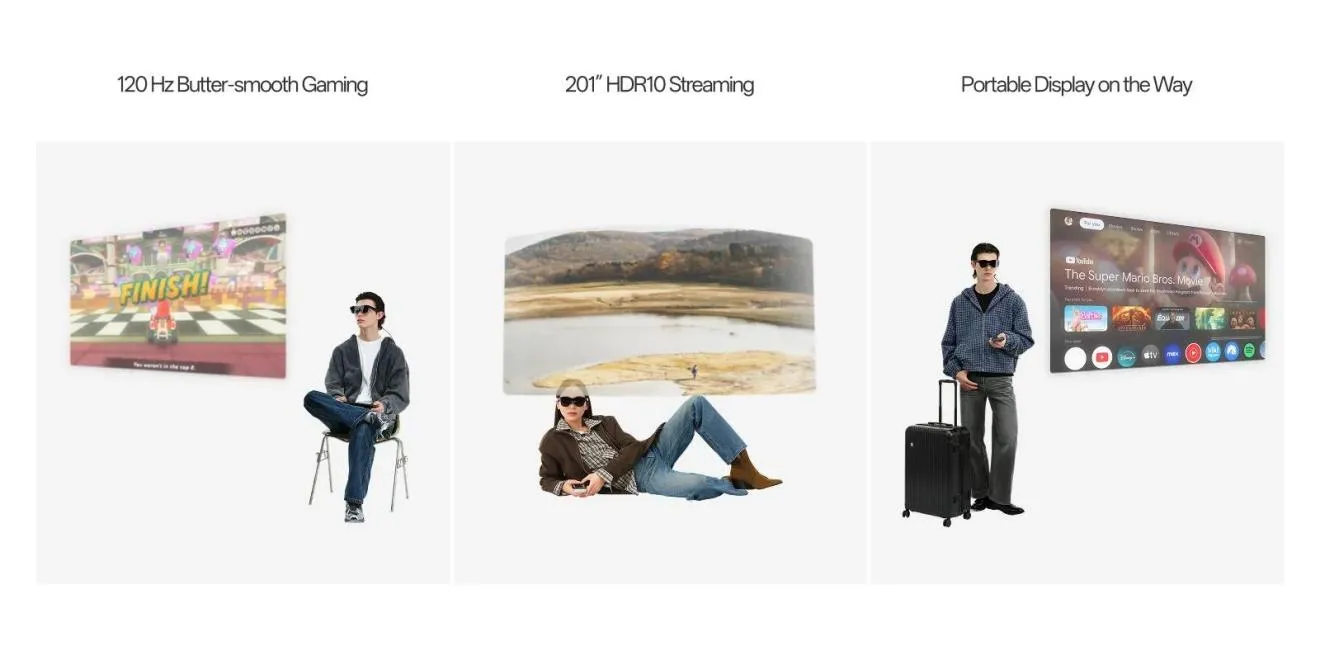
RayNeo Air 4 Pro AR Glasses are designed around everyday usability, which helps support longer, more practical wear sessions. They offer universal plug-and-play connectivity through USB-C, with HDMI adapter support for iPhone, Android, PC, Switch, and PS5, making it easier to connect without complicated workarounds. The lightweight 76g frame, adjustable nose pads, and flexible temples improve comfort during extended use. For viewing, the world’s first HDR10 AR display delivers 1.0B+ colors on a 201-inch HueView 2.0 virtual screen, while OptiCare™ eye protection includes 3840Hz dimming, low blue light, and flicker-free performance. Premium Audio by B&O and prescription-ready support further strengthen daily wearable convenience for users.
Daily Maintenance Guide for Better Battery Performance
Storage, charging accessories, and temperature management tips
Daily care has a direct effect on battery performance. Store smart glasses in a protective case when not in use so the frames, ports, and connectors stay clean and secure. Use charging accessories that fit properly and are in good condition, because worn cables can cause slower or inconsistent charging. Avoid exposing the glasses to heat sources, parked cars, direct sun, or freezing environments. Batteries perform best within moderate temperatures, and thermal stress can shorten lifespan or reduce temporary runtime. If the glasses feel hot after extended use, let them cool before charging. Keep ports free of dust and moisture, and never force connectors, since physical damage can affect both charging reliability and daily power efficiency.
Simple habits that help maintain battery capacity over time
A few simple routines can help battery capacity stay stronger over time. Use the glasses regularly instead of leaving them unused for months, because long inactivity can stress the battery. If you need to store them for an extended period, leave a partial charge rather than a full or empty battery, then check the level occasionally. Update firmware when recommended, since manufacturers often improve power management and connection stability through software. Disconnect the glasses after use instead of leaving them attached to a source unnecessarily. Clean contact points gently, transport them safely, and avoid repeated exposure to extreme brightness or maximum volume for every session. Consistent care supports better endurance and more predictable daily performance.

Conclusion
Getting better smart glasses battery life comes down to controllable habits: lower unnecessary power draw, charge more thoughtfully, and protect the battery from heat, deep drains, and poor storage conditions. Those steps help you extend daily use immediately while also preserving long-term capacity. It is equally important to choose glasses that are comfortable, easy to connect, and built for sustained viewing, because efficient everyday wear depends on more than battery size alone. Models such as RayNeo Air 4 Pro show how fit, display efficiency, eye-care features, and broad device compatibility can support practical all-day use. Combine smart settings with regular maintenance, and your glasses will stay ready for work, travel, entertainment, and lighter, more reliable use throughout each day.