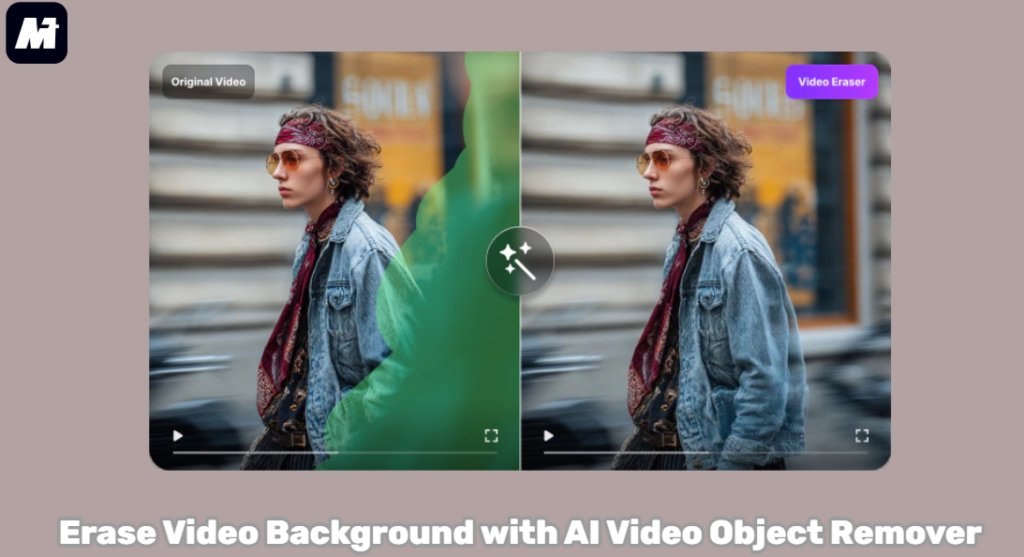
Looking to remove any unwanted parts in the video background? Many of you may have had this moment when a watermark or a sticker appears on the video. Nowadays, there are many online tools on the market. So you can easily erase video background.
This guide will show you how to erase your video background using a powerful AI video object remover. You can do it directly in your browser. Just upload your video and mark the area. Then you can remove any object like stickers, text, or watermarks with one click. It’s perfectly designed for beginners. Plus, you’ll find ready-made templates and many other editing tools on the platform to enhance your projects. Keep reading to learn the easy steps to achieve professional-looking videos in minutes!
What is AI Video Object Remover
An AI Video Object Remover is a smart tool powered by advanced AI. It can seamlessly erase any unwanted items from your video background. This includes things like logos, people, text, or watermarks.
AI Video Object Remover typically offers different erasing modes, helping you achieve various visual styles. For example, you can choose a Gaussian blur for a soft effect. You may also select a natural transition mode. This makes the removed area blend perfectly with the background.
Moreover, these removers usually support custom areas. You can manually select the exact object you want to delete. You can also adjust the brush size for precise editing. This flexibility allows for very clean and professional results. It gives you full control over the final look of your video.
Best AI Video Object Remover: Media.io Video Eraser
For anyone looking to erase video background, an AI video object remover is the ideal solution. It intelligently identifies and deletes unwanted elements. This process happens automatically, saving you hours of manual editing. When searching for a reliable tool, WonderShare Media.io stands out. It is a comprehensive creative platform that truly understands powerful AI models. This tool makes professional editing simple for everyone.
One of its helpful tools is Media.io Video Eraser. This video eraser integrates several advanced AI capabilities. These technologies allow the eraser to work with impressive accuracy. It can cleanly remove items like watermarks, logos, or unexpected photobombers.
To suit your scene, you can choose from different erasing modes. Simply select the natural smoothing mode for a seamless result. Alternatively, use color fill to replace an object. The tool also supports all common video formats and enables you to have full control during editing. You can customize the exact area for removal by adjusting your brush size.
What’s even better, Media.io offers a full suite of editing tools. You will find everything you need in one place. It provides access to over 5,000 special effects and templates. This vast library helps you quickly enhance any project. Additionally, the platform features a vibrant inspiration community. In the Explore section, you can browse a huge collection of templates. Many are contributed by other users. You can click on any design to create similar content instantly.
- Powered by Advanced AI Models: Media.io integrates powerful AI models to enhance quality. You can choose from several erasing modes to match your needs, such as AI-powered removal for a clean result. Alternatively, choose natural smoothing for a seamless integration. Color fill for simple replacements and a Gaussian blur for artistic focus are also available.
- Wide Format Support and Precise Control: It supports all common video formats like MP4 and MOV, ensuring compatibility with your files. During editing, you can easily adjust the brush size to customize your erase area. This allows for precise removal, whether you are targeting a large background or a tiny watermark.
- All-in-One Post-Production Studio: Media.io is more than just an object remover. It also serves as a complete post-production workspace. After erasing objects, you can directly use its suite of audio and video tools. This makes video enhancement or audio clean-up pretty easy.
- Vast Template Library and Inspired Community: With Media.io, you can also access a rich resource of 5,000+ professionally designed templates. Users can also share their own creations in the “Explore” section on the platform. You can browse their works for inspiration and even click to generate similar content instantly. Also, editor teams from Media.io will curate some excellent works based on current trends, constantly providing fresh ideas.
How to Erase Video Background with Media.io Video Eraser
Now that you know what Media.io can do, let’s walk through the steps to erase video background with Media.io.
Step 1. Select Your Preferred Mode
Launch Media.io Video Eraser. Pick a mode that suits your needs from the selection.
The “AI Model” offers a quick way to delete objects. For different looks, try “Gaussian Blur,” “Smooth Filling,” or “Color Filling.” You can also duplicate sections of your video with the “Clone Patch” feature.
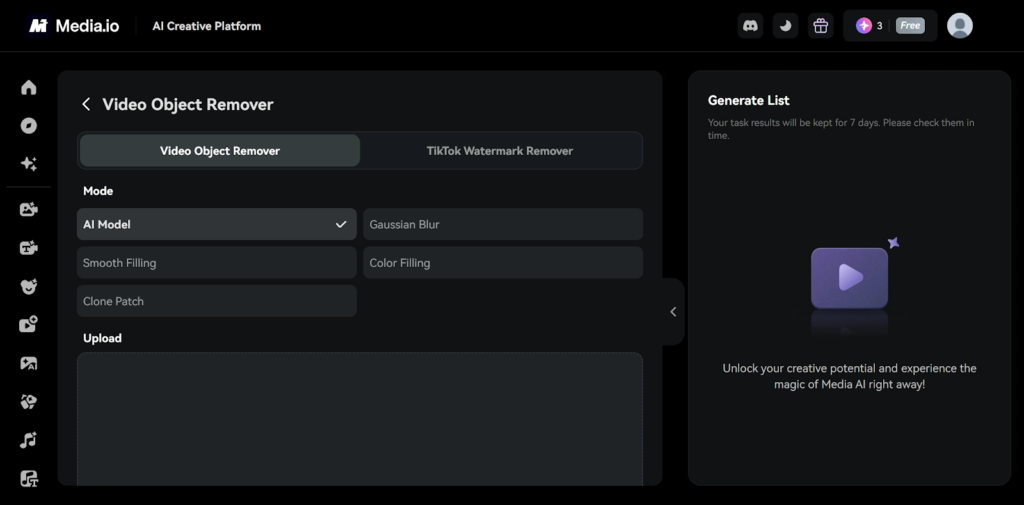
Step 2. Upload Video and Select Unwanted Part
In the “Upload” section, simply drag your video file or click to upload. Make sure your video is in MP4 or MOV format and shorter than 15 minutes. When you’re ready, click “Generate” to erase video background.
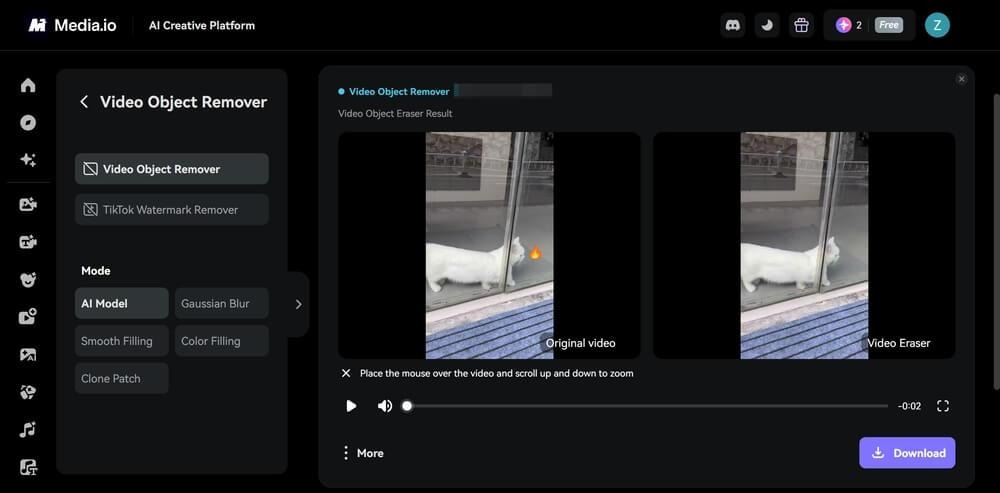
Step 3. View and Export Video
Once done, you’ll see the result right away. To save it, click the “Download” button. If you want to create another version, hover over the preview and adjust the eraser.

Conclusion
A distracting item in the video background may ruin the whole video. This is where an AI video object remover becomes essential. It helps you easily erase video background, ensuring your subject stays the center of attention.
For a reliable solution, we recommend Media.io Video Eraser. It is an excellent tool for removing video backgrounds smoothly and efficiently. It provides multiple erase modes, giving you flexible customization for different visual needs. Furthermore, Media.io offers a full set of audio and video editing tools and 5000+ templates. This all-in-one approach saves you time and simplifies your workflow. Try Media.io Video Eraser today and see how easily you can enhance your videos.