Knowing How To Check Package on Jazz is important for every mobile user in Pakistan. It helps you track your remaining internet MBs, call minutes, and SMS before they expire. Many people lose balance simply because they forget to check active bundles on time.
Jazz offers a wide range of prepaid and postpaid plans. These include daily offers, weekly bundles, monthly packages, and special social or streaming deals. Each one has its own limit and validity period, so staying informed keeps your mobile costs under control.
This long-form guide explains every official way to check Jazz packages. The language stays simple, the steps stay clear, and each method works for normal users without technical knowledge.
You May Like: telenor sim number check code
Why Learning How To Check Package on Jazz Matters
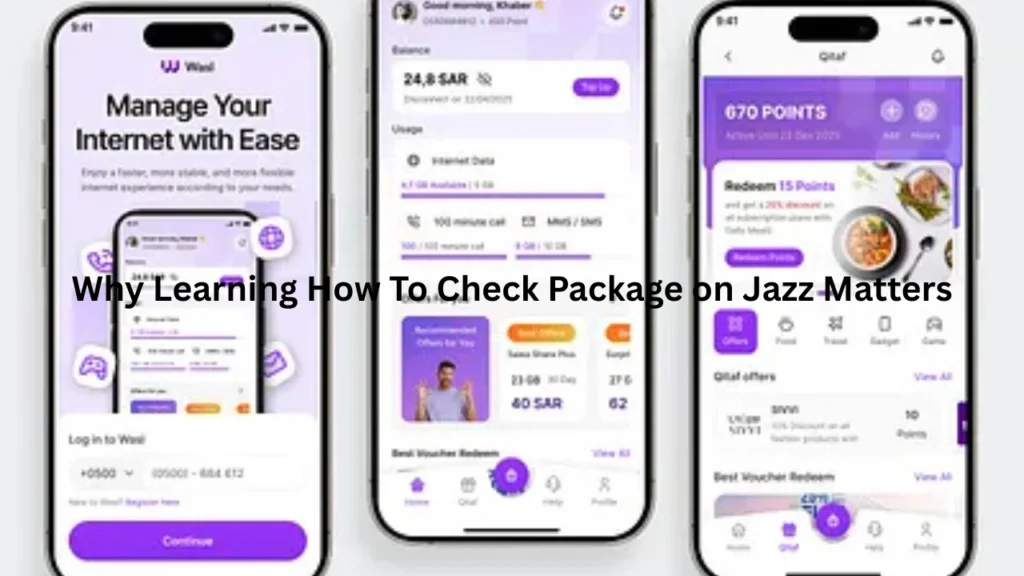
Mobile data and call bundles do not last forever.
Some expire within hours.
If you do not monitor usage, your main balance may start deducting.
That can feel frustrating and unexpected.
Checking packages regularly helps you:
- Know what is active on your SIM
- See how much data remains
- Track call minutes and SMS
- Avoid extra charges
- Renew at the right time
People who check daily usually spend less each month.
Types of Jazz Packages You May Have Active
Jazz users often run more than one bundle at the same time.
Each bundle shows separate limits.
You may have:
- Regular internet package
- Social media bundle
- Streaming data
- On-net call offer
- Off-net call minutes
- SMS package
Understanding these types makes it easier to read package results when you check.
Official Ways Provided by Jazz to Check Packages
Jazz allows customers to view package details through official channels only.
These methods stay safe and accurate.
You can check through:
- USSD dial codes
- SMS service
- Jazz World mobile app
- Customer care helpline
- Service center visits
Most people prefer dial codes or the app because they respond quickly.
How To Check Package on Jazz Using Dial Codes
Dial codes work on every phone.
They do not require internet access.
You simply open the dialer, type the code, and press call.
Main Service Menu Code
The most common menu is:
*111#
After dialing, a list appears on your screen.
It usually shows:
- Active bundles
- Remaining resources
- Validity time
- Subscription details
Follow the prompts to reach your package information.
Internet Package Check Code
Many Jazz customers use:
*117#
This code focuses on data usage.
It often displays:
- Total MBs
- Used volume
- Remaining data
- Expiry date
The message arrives within seconds.
Balance and Usage Display
Another popular code is:
*100#
It mainly shows your main balance.
Some versions also include bundle status.
Network updates sometimes change menus.
If one code fails, try the main service code again.
How To Check Package on Jazz Through SMS
SMS is useful when USSD menus do not load.
It also helps users with older phones.
You can send a blank SMS to:
661
Jazz replies with usage details.
The message may include:
- Active internet package
- Remaining data
- Expiry date
Some SMS checks cost a small fee.
Keep a little balance for this option.
How To Check Package on Jazz Using the Jazz World App
The Jazz World app gives the most complete picture.
It shows everything in one place.
After installing the app:
- Open it on your phone
- Sign in with your Jazz number
- Enter the verification code
- Open the “Usage” or “Active Bundles” section
Inside the app you can view:
- Internet balance
- Call minutes
- SMS count
- Package expiry
- Subscription history
- Recharge record
The dashboard updates quickly.
Heavy users prefer this method because it stays detailed.
How To Check Package on Jazz for Internet Data Only
Some people only care about data usage.
They want to know how many MBs remain.
You can check internet status using:
- Internet dial code
- SMS option
- App dashboard
Internet details usually include:
- Package name
- Total data
- Used data
- Remaining data
- Valid until time
Always check before streaming videos or gaming online.
This prevents sudden deductions from your balance.
How To Check Package on Jazz for Call Minutes
Voice packages expire just like data bundles.
They may separate on-net and off-net minutes.
When you check, look for:
- Jazz-to-Jazz minutes
- Minutes to other networks
- Remaining call time
- Validity
These details appear in menus or inside the app.
How To Check Package on Jazz for SMS Bundles
SMS packages come with daily or monthly limits.
They suit users who text often.
Checking SMS status shows:
- Total SMS
- Used messages
- Remaining SMS
- Expiry date
This helps avoid pay-per-message charges.
How To Check Package on Jazz Daily Bundles
Daily packages usually expire after twenty-four hours.
They often include night data or social usage.
Check these bundles:
- In the morning
- After heavy browsing
- Before midnight
Daily offers end quickly, so monitoring saves money.
How To Check Package on Jazz Weekly Bundles
Weekly packages last seven days.
They usually include larger volumes.
It is smart to check every two days.
This keeps you aware of usage speed.
Weekly bundle results show:
- Days left
- Remaining data
- Voice balance
- SMS count
How To Check Package on Jazz Monthly Bundles
Monthly packages work for thirty days.
They suit people who use the phone daily.
Even monthly users should check often.
Background apps can drain data quietly.
Weekly reviews keep you safe from surprise expiry.
How To Check Package on Jazz When Multiple Bundles Are Active
Many Jazz users activate two or three offers together.
One might expire earlier than the others.
When you check, read carefully:
- Which bundle ends first
- Which has more remaining data
- Which covers social apps
- Which includes regular browsing
Use smaller or shorter bundles first.
That prevents wastage.
How To Check Package on Jazz for Postpaid Numbers
Postpaid customers can also track usage.
The methods stay mostly the same.
They can use:
- Jazz World app
- Customer care
- Service center
Postpaid screens usually show:
- Used data
- Remaining allowance
- Billing cycle date
- Extra usage charges
This helps avoid high monthly bills.
Problems You May Face While Checking Packages
Sometimes codes or apps stop working.
This usually happens due to system updates.
Dial Code Not Responding
Possible reasons include:
- Weak network signal
- Temporary outage
- SIM issue
Wait a few minutes and retry.
App Not Showing Updated Data
Close the app completely.
Open it again and refresh.
Updating the app version also helps.
SMS Reply Not Arriving
Check your main balance.
SMS may fail if balance is zero.
Move to an area with better signal.
Tips to Manage Jazz Packages Better
Good habits save money.
They also reduce stress.
Follow these tips:
- Check usage each morning
- Enable app notifications
- Track expiry dates
- Renew before midnight
- Turn off background data
- Use Wi-Fi when available
Small actions make a big difference over time.
Staying Safe While Checking Jazz Packages
Only use official Jazz channels.
Avoid random codes from unknown sources.
Never share:
- One-time passwords
- CNIC details
- SIM ownership data
Protecting personal info keeps your account secure.
Frequently Asked Questions
Can I check Jazz packages without balance?
Yes.
Most USSD codes and the app work without balance.
Does Jazz charge for checking packages?
Dial codes are usually free.
SMS checks may cost a small amount.
Which method gives the most detail?
The Jazz World app shows everything clearly.
It includes history and expiry times.
How often should I check my package?
Daily checks work best.
Heavy users may check twice a day.
Final Thoughts on How To Check Package on Jazz
Learning How To Check Package on Jazz gives you control over your data, calls, and SMS. Dial codes help with quick checks, the app provides full tracking, and SMS supports older phones. Make it a habit to review bundles often so your balance stays safe and your mobile usage stays smooth every day.
People Also Read: how to check telenor package